Emergency stop controller
Emergency stop
The Origin One is equipped with two manual emergency buttons on top of the robot, one in front and one on the rear (see, Origin One - Overview). Enabling an emergency button will trigger an E-stop that will cut all power to the motors resulting in an uncontrolled emergency stop. The two front motors will enable their internal brake when the motor power is disabled.
Warning
The robot performs a rapid emergency stop if an E-stop is triggered, resulting in large decelerations. A custom payload with a high center of mass could potentially result in the tipping of the robot.
Wireless E-stop
The Origin One is optionally equipped with a wireless emergency stop system from Kar-Tech. If this option has been selected, the robot comes with an internally mounted receiver and a pre-paired handheld transmitter. The system operates on a 2.4 GHz frequency and it actively checks if the devices are communicating. If the receiver and transmitter are out-of-range, the emergency stop is immediately triggered. The estimated line of sight range is ~100 meters, any intermittent objects result in a significantly reduced range.
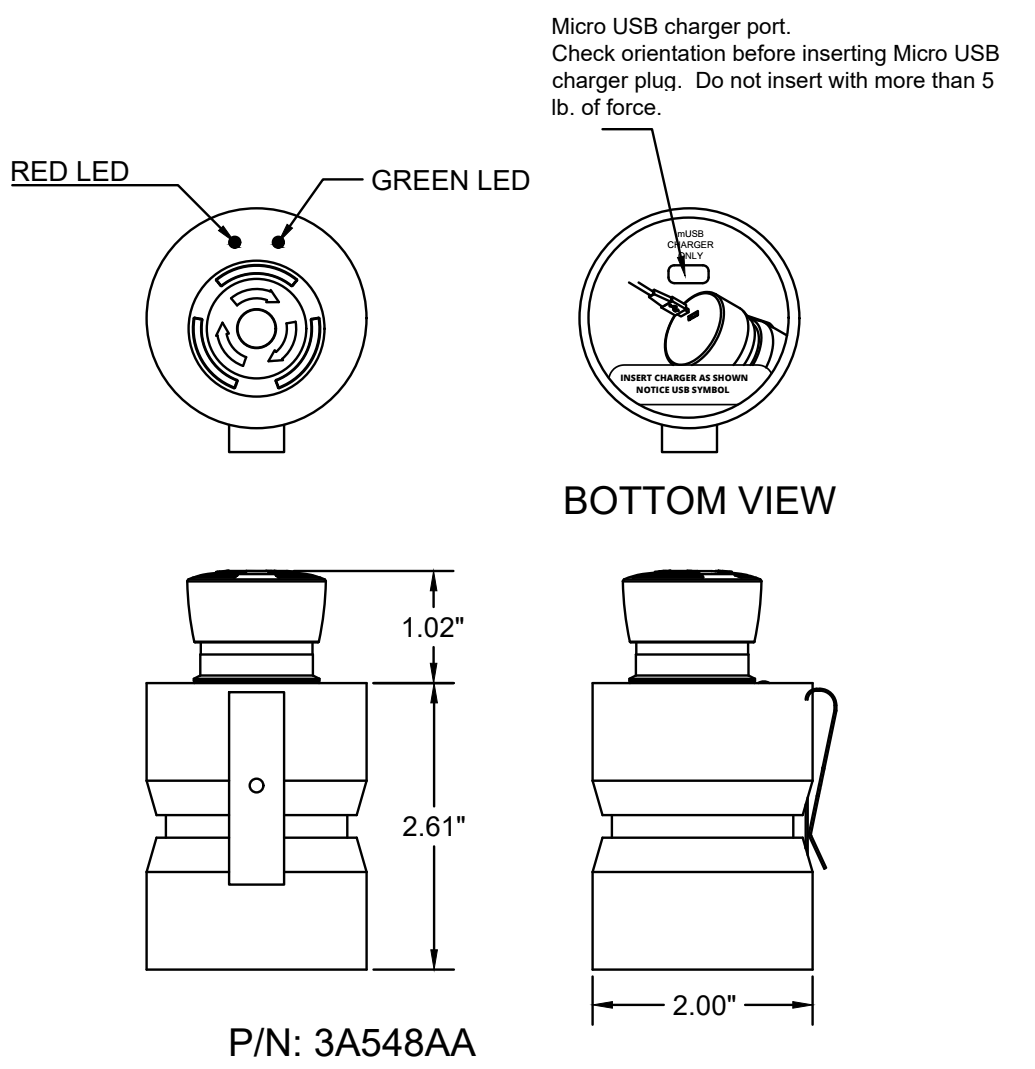
The wireless transmitter is to be charged using the supplied Micro-USB-A wall charger or by connecting the supplied Micro-USB-A cable to an external USB power source.
Info
The robot will not drive if the transmitter is not actively communicating with the robot.
| Status | Description |
|---|---|
| Green blinking fast | Normal condition, actively communicating with receiver |
| Green blinking slow | the transmitter is not talking to the leader or the leader is not talking to all the transmitters and vital receivers that were synced to it |
| Green off | E-stop pressed and transmitter is off or battery is discharged |
| Red blinking | Low battery |
| Red solid | E-stop pressed on another transmitter or loss of communication |
Automatic emergency stop (failsafe)
Besides the manual emergency buttons, the Origin One can also trigger an emergency stop by itself when it detects an unsafe condition. This failsafe mechanism currently monitors two fault categories:
- Tilt limit (tip-over protection)
- Motor error
Once a fault is detected the robot latches which fault(s) occurred and stays in emergency stop until all latched faults have individually cleared and an emergency button has been pressed and released afterwards. If a new fault occurs while the robot is already resolving a previous one, it is added to the latch and also needs to clear before the robot can resume normal operation.
Tilt limit (tip-over protection)
When the Origin One reaches a pitch tilt between 45° and 60°, for example when it drives up against a wall or obstacle and risks tipping over, the robot automatically triggers an emergency stop.
How to resolve:
- Place the robot back in an orientation with less than 45° of pitch tilt.
- Press and release one of the emergency buttons (on the robot body or the wireless e-stop).
The robot will then resume normal operation.
Motor error
When one or more motors report an error status, such as overcurrent or overtemperature, the robot automatically triggers an emergency stop. The reset mechanism is similar: press and release an emergency button to clear the fault.
Info
If the robot goes back into emergency stop immediately after the reset sequence, the motor fault has not actually cleared yet. This can indicate an overtemperature condition. Let the robot rest for a while and try the reset sequence again.
How to resolve:
- Press and release one of the emergency buttons (on the robot body or the wireless e-stop).
- If the robot immediately re-enters emergency stop, let it rest and retry after some time.
- If the fault still does not clear, restart the robot.
- If restarting does not resolve the issue, please contact the Avular Support team.
Warning
There is currently no diagnostic information shown on the display to indicate that a motor error caused the emergency stop.