Vertex Front Bridge - Software Integration
Introduction
Vertex Front Bridge offers multiple connectivity options. In this section we explain how to use these to communicate with a connected add-on (e.g. a custom payload).
Connectivity Overview (External)
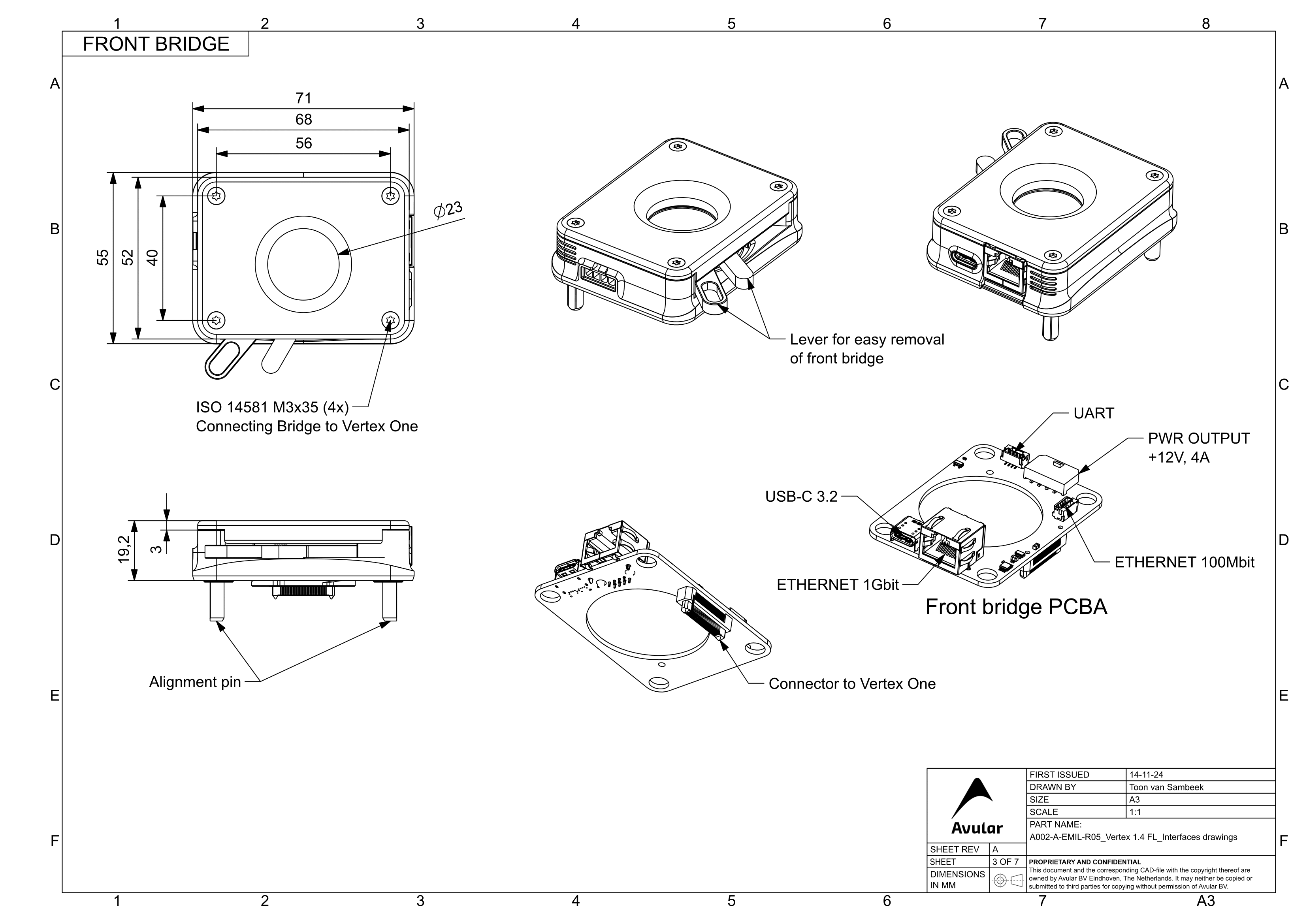
Connectivity Overview (Internal)
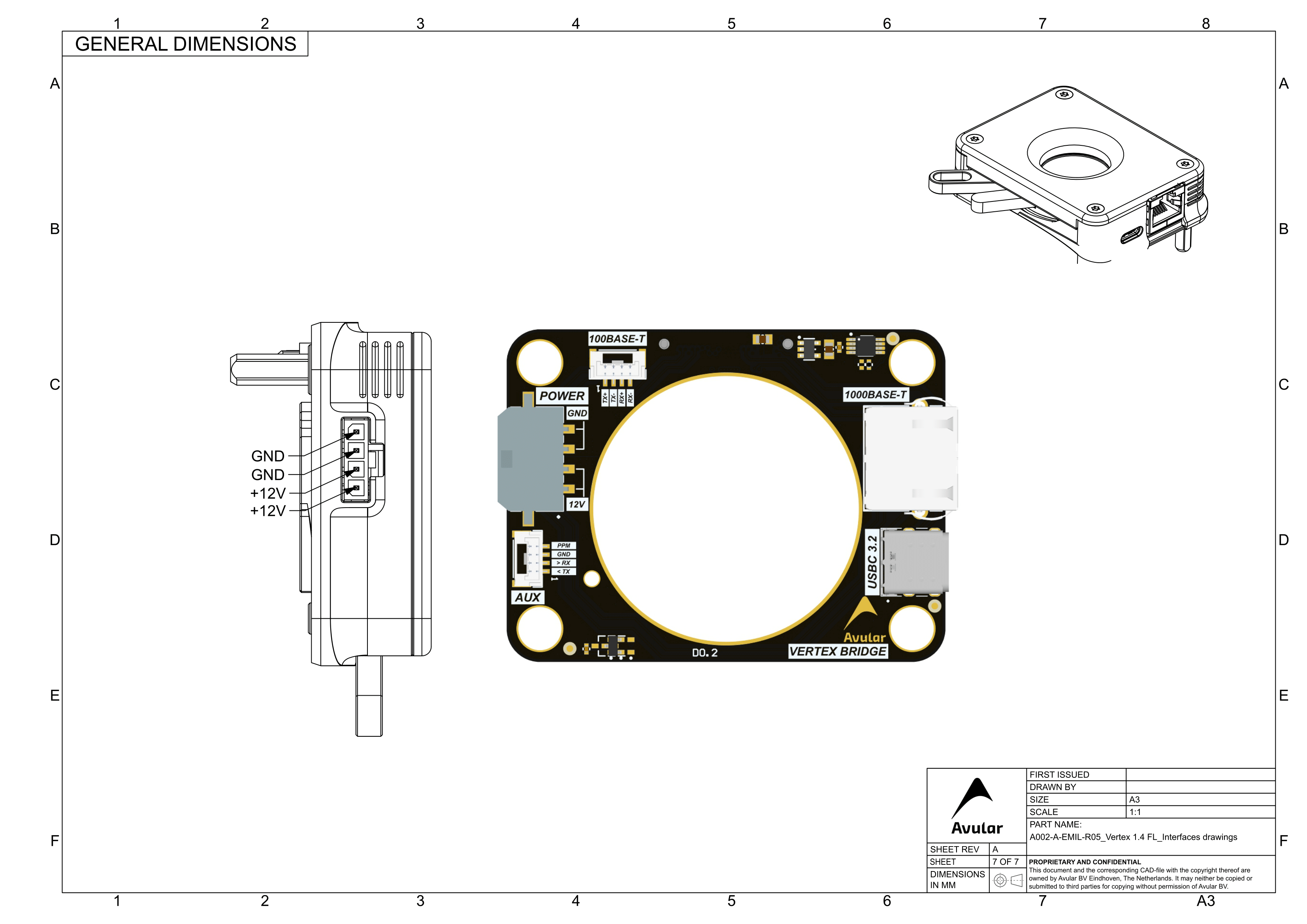
UART Connector
To send messages to this UART use /dev/serial-front
Ethernet (RJ45) Connector
The ethernet connector is connected to the onboard switch. It provides a 1 Gbit/s connection to the Vertex One.
Ethernet (JST) Connector
This ethernet port is shared with the RJ45 port. If you only need 100 Mbit/s and want a small connector, you can use this port instead of the RJ45
USB-C 3.2 Connector
The USB-C connector allowed you to connect a peripheral to the Vertex One through the USB 10 Gbit/s interface